How to Choose an Ossur Unloader Knee Brace?

Choosing an ossur unloader knee brace is not just a matter of selecting a size. The right model and setup depend on which part of the knee needs support, how the brace will be used, and what a clinician recommends. Unloader braces are commonly prescribed to shift pressure away from an affected knee compartment, but they do not suit every diagnosis or activity. A careful choice starts with your symptoms, treatment goals, and medical advice.

Small details matter. Is the right or left knee affected? Will you wear the brace during a short walk, a full workday, or sport? Check the manufacturer’s sizing instructions, since measurements and fit can vary by model. The brace should feel secure without pinching, slipping, or causing new pain. A strap that digs into the back of the knee can turn a promising fit into an uncomfortable one. That detail is easy to overlook.

This guide explains what to compare before buying, including brace style, sizing, adjustability, and daily comfort. It also outlines questions to ask a qualified healthcare professional or orthotist, who can assess fit and alignment. Product descriptions can help, but they cannot replace an in-person evaluation. No brace is perfect. Even a well-fitted option may need adjustment as swelling, activity, or comfort changes. A little honest trial and follow-up can make the decision safer and more practical.
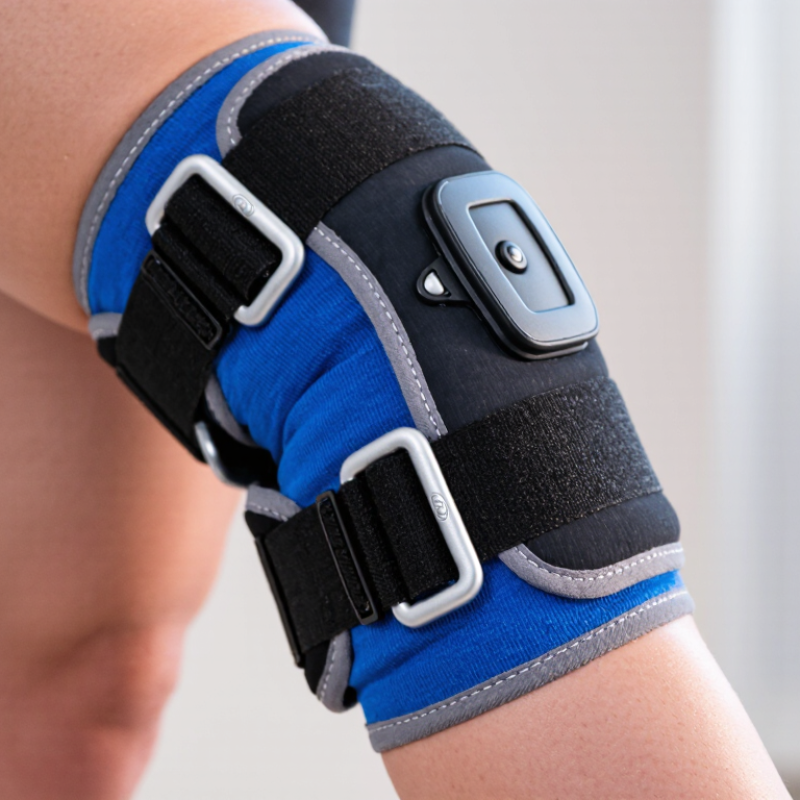
How to Choose an Ossur Unloader Knee Brace?

Understand How an Össur Unloader Knee Brace Works

An unloader knee brace shifts some force away from the more painful side of the knee. Its frame applies pressure at several points around the leg, gently changing alignment and load distribution during standing or walking. The effect is subtle, not a dramatic correction. You may notice the straps against your skin and the frame near your thigh. Fit matters. A brace that slips or pinches can distract from walking rather than support it.

The right design depends on which compartment is affected, your leg shape, and what movements trigger pain. A clinician can check alignment and adjust the brace while you stand and take a few steps.

The American College of Rheumatology/Arthritis Foundation guideline conditionally recommends tibiofemoral bracing for knee osteoarthritis when pain or instability significantly affects walking or daily activity. That is not a promise of relief for everyone.

The World Health Organization reports that 528 million people lived with osteoarthritis in 2019, with the knee among the most commonly affected joints. A brace is one tool, alongside exercise and clinical care.

Not magic. If it feels uncomfortable at first, that may mean it needs adjustment; it may also mean this type of support is not right for you.

Identify the Knee Compartment and Support Needs

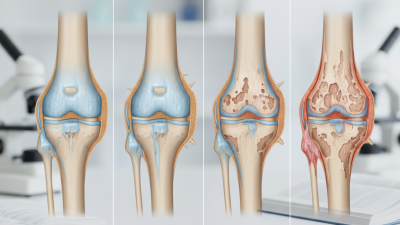
Choosing an unloader brace starts with identifying the affected knee compartment, not guessing from pain alone. Medial disease affects the inner knee; lateral disease affects the outer side. A clinician can assess alignment and symptoms, then use weight-bearing X-rays when appropriate. Pain may also come from the kneecap, hip, or soft tissue. Pain can mislead. The World Health Organization estimated that 365 million people worldwide had knee osteoarthritis in 2019 (WHO, 2023). That figure shows the condition’s scale, but it cannot identify which compartment needs support.

For medial-compartment disease, a brace commonly applies a valgus force to reduce pressure on the inner knee. Lateral disease may call for the opposite adjustment. The American Academy of Orthopaedic Surgeons’ 2021 guideline says tibiofemoral bracing can improve pain, function, and quality of life for selected people with knee osteoarthritis. Selected matters. Note when symptoms appear: standing at a counter, descending stairs, or walking on uneven pavement. Also consider giving-way, swelling, and how long you need support. Ask a clinician to check fit and skin pressure; clothing and swelling can change how a brace sits. Persistent numbness, skin irritation, or worsening pain warrants reassessment. Real life is less tidy than an X-ray.

How to Choose an Unloader Knee Brace? Identify the Knee Compartment and Support Needs

Start by confirming which side of the knee is affected and what activities or symptoms require support. An unloader brace is designed to shift some load away from a selected knee compartment; fit and correction should be assessed with a qualified healthcare professional.

Decision Factor What to Identify Typical Support Consideration Practical Next Step
Medial compartment The inner side of the knee joint is affected. Symptoms may include pain along the inner knee, but pain location alone cannot confirm the diagnosis. A clinician may consider a brace that applies a valgus-directed unloading force to reduce load on the medial compartment. Ask whether examination and weight-bearing imaging support medial-compartment disease and whether this brace design is appropriate.
Lateral compartment The outer side of the knee joint is affected. Outer-knee pain can have causes other than compartmental osteoarthritis. A clinician may consider a brace that applies a varus-directed unloading force to reduce load on the lateral compartment. Confirm the affected compartment with a healthcare professional before selecting the direction of correction.
Patellofemoral area Pain is primarily around or behind the kneecap, often during stairs, squatting, or prolonged sitting. A tibiofemoral unloader brace may not address the main source of patellofemoral symptoms. Discuss whether a different treatment approach or brace design is more suitable.
Activity-related support Note when symptoms occur, such as walking, standing, work tasks, or recreational activity. Brace stability, comfort, range of motion, and ability to stay in position may matter as much as the level of support. Describe your daily activities and intended wear time during a fitting or clinical assessment.
Fit and sizing Accurate measurements and the correct brace orientation are needed for secure, comfortable placement. Brace sizing systems differ. A brace that is too loose may slip; one that is too tight may cause discomfort or skin irritation. Follow the specific sizing instructions and have the fit checked, especially if swelling or leg shape makes measurement difficult.
Comfort and skin tolerance Check for pressure points, rubbing, numbness, changes in skin color, or worsening discomfort while wearing the brace. Strap adjustment and gradual wear may help with comfort, but persistent symptoms need attention. Remove the brace and seek professional advice if it causes persistent pain, numbness, skin injury, or circulation concerns.
Other knee conditions Consider previous surgery, ligament injury, significant instability, swelling, or other diagnosed conditions. These factors can affect brace selection and adjustment; an unloader brace is not a substitute for a full assessment. Share your medical history and current treatments with the clinician or orthotist fitting the brace.

Important: This table is for general education and does not diagnose knee conditions or replace individualized medical advice. Compartment involvement and brace correction should be confirmed by a qualified healthcare professional. Stop using a brace and seek advice if it causes significant or persistent symptoms.

Compare Össur Unloader Models and Features

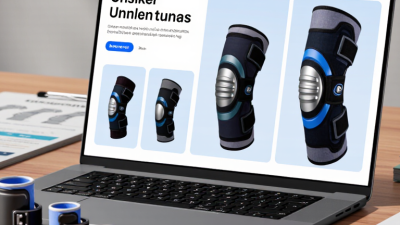
Unloader knee braces differ in how they shift pressure away from an irritated side of the knee. Compare each model’s adjustment range, frame style, and fit options. Some use a single upright; others have support on both sides of the leg. A lighter frame may feel easier during a walk, while a more substantial design can feel bulky under trousers. Neither is automatically better. The right choice depends on your diagnosis, leg shape, daily activities, and clinician’s advice.

Check how the brace adjusts its unloading force. Some designs use a dial or hinge adjustment, while others require strap changes. Make sure you can operate the controls comfortably and that straps stay secure without pinching. Fit matters more than a long feature list. A brace that slips after a few minutes may need refitting, even if it seemed comfortable at first. That part is easy to underestimate.

Tips: Ask a qualified clinician to confirm which side needs unloading and help size the brace. Try sitting, standing, and walking in it before choosing. Check for pressure near the knee joint and redness after removal. Small fit issues can become noticeable on longer walks. If pain worsens, stop and seek professional guidance.

Choose the Correct Brace Size and Fit

Choosing the right size starts with careful measurement, not guesswork. Use the sizing guide supplied with the brace, since measurement points can differ between models. A soft tape measure should sit flat against the leg without digging into the skin. Measure where instructed, often around the thigh and calf, and write down each result. If you fall between sizes, don’t automatically choose the larger one. Ask a qualified clinician or the supplier how that brace is intended to fit.

Fit matters as much as the number on the label. The brace should feel secure, with its hinges positioned beside the knee joint and its straps snug but not painfully tight. Walk a few steps, sit down, then stand again. Does it slide? Does a strap pinch behind the knee? Those small details count. A brace that shifts during ordinary movement may need adjustment or a different size.

Check your skin after wearing it, especially during the first few uses. Redness that fades quickly may occur, but persistent marks, numbness, tingling, or increased pain deserve attention. Don’t keep tightening the straps to force a poor fit. It can be tempting to blame yourself when the brace feels awkward; sometimes the fit needs professional adjustment. Follow the maker’s instructions, and ask a healthcare professional if you are unsure.

Confirm Fitting, Adjustment, and Wear with a Clinician

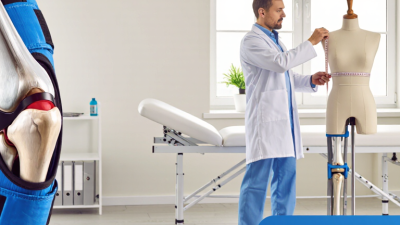
A knee-unloading brace should be fitted and adjusted with a clinician, not by guesswork. The clinician can assess your leg, confirm which side needs support, and check that the brace sits in the right position. Bring the shoes and clothing you usually wear; both can affect fit. The straps should feel secure without pinching or sliding when you stand and walk. Small changes matter. Ask the clinician to show you how to adjust each strap and how to put the brace on yourself. It can feel awkward at first, and that is worth mentioning rather than silently tolerating.

Agree on a wearing schedule before using the brace for long periods. Start with the plan your clinician recommends, then report rubbing, pressure points, or trouble walking. Check your skin after removing the brace, especially near the edges and straps. Mild pressure may occur, but numbness, worsening pain, swelling, or persistent redness needs prompt clinical advice. Do not keep tightening the brace to make it feel more supportive. Keep brief notes on when discomfort occurs and what activity you were doing. That record helps guide a safer adjustment.

Knee Motion: General Reference for Brace Fitting

Neutral extension is referenced as 0°, while knee flexion of about 135° is a general reference—not a brace-setting target. Range of motion varies between people. Ask a clinician to confirm the brace fit, adjustments, and wear instructions for your knee.

DISCOVER THE POTENTIAL OF INNOVATIVE PROSTHETICS

From minor to severe injuries, our team develops advanced devices designed to support recovery and promote overall wellness.

Contact Us